A PHP Error was encountered

Severity: 8192

Message: strtolower(): Passing null to parameter #1 ($string) of type string is deprecated

Filename: MX/Loader.php

Line Number: 160

Backtrace:

File: /home/emoabhlp/public_html/cerdig.com/manualbook/application/third_party/MX/Loader.php
Line: 160
Function: strtolower

File: /home/emoabhlp/public_html/cerdig.com/manualbook/application/third_party/MX/Loader.php
Line: 192
Function: library

File: /home/emoabhlp/public_html/cerdig.com/manualbook/application/third_party/MX/Loader.php
Line: 153
Function: libraries

File: /home/emoabhlp/public_html/cerdig.com/manualbook/application/third_party/MX/Loader.php
Line: 65
Function: initialize

File: /home/emoabhlp/public_html/cerdig.com/manualbook/index.php
Line: 315
Function: require_once

A PHP Error was encountered

Severity: 8192

Message: strtolower(): Passing null to parameter #1 ($string) of type string is deprecated

Filename: MX/Loader.php

Line Number: 160

Backtrace:

File: /home/emoabhlp/public_html/cerdig.com/manualbook/application/third_party/MX/Loader.php
Line: 160
Function: strtolower

File: /home/emoabhlp/public_html/cerdig.com/manualbook/application/third_party/MX/Loader.php
Line: 192
Function: library

File: /home/emoabhlp/public_html/cerdig.com/manualbook/application/third_party/MX/Loader.php
Line: 153
Function: libraries

File: /home/emoabhlp/public_html/cerdig.com/manualbook/application/third_party/MX/Loader.php
Line: 65
Function: initialize

File: /home/emoabhlp/public_html/cerdig.com/manualbook/index.php
Line: 315
Function: require_once

A PHP Error was encountered

Severity: 8192

Message: strtolower(): Passing null to parameter #1 ($string) of type string is deprecated

Filename: MX/Loader.php

Line Number: 160

Backtrace:

File: /home/emoabhlp/public_html/cerdig.com/manualbook/application/third_party/MX/Loader.php
Line: 160
Function: strtolower

File: /home/emoabhlp/public_html/cerdig.com/manualbook/application/third_party/MX/Loader.php
Line: 192
Function: library

File: /home/emoabhlp/public_html/cerdig.com/manualbook/application/third_party/MX/Loader.php
Line: 153
Function: libraries

File: /home/emoabhlp/public_html/cerdig.com/manualbook/application/third_party/MX/Loader.php
Line: 65
Function: initialize

File: /home/emoabhlp/public_html/cerdig.com/manualbook/index.php
Line: 315
Function: require_once

Siswa - Data Tugas

Siswa - Data Tugas

Pada Menu E-Materi, Siswa dapat melihat tugas yang diberikan oleh guru secara online. Untuk mengakses tugasnya bisa mengklik tabel tugas yang ingin dikerjakan. berikut langkah-langkah untuk masuk ke Data Tugas :

Last updated May 2026

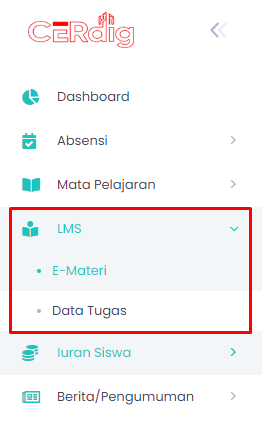
step 1 - Klik menu LMS - Data Tugas
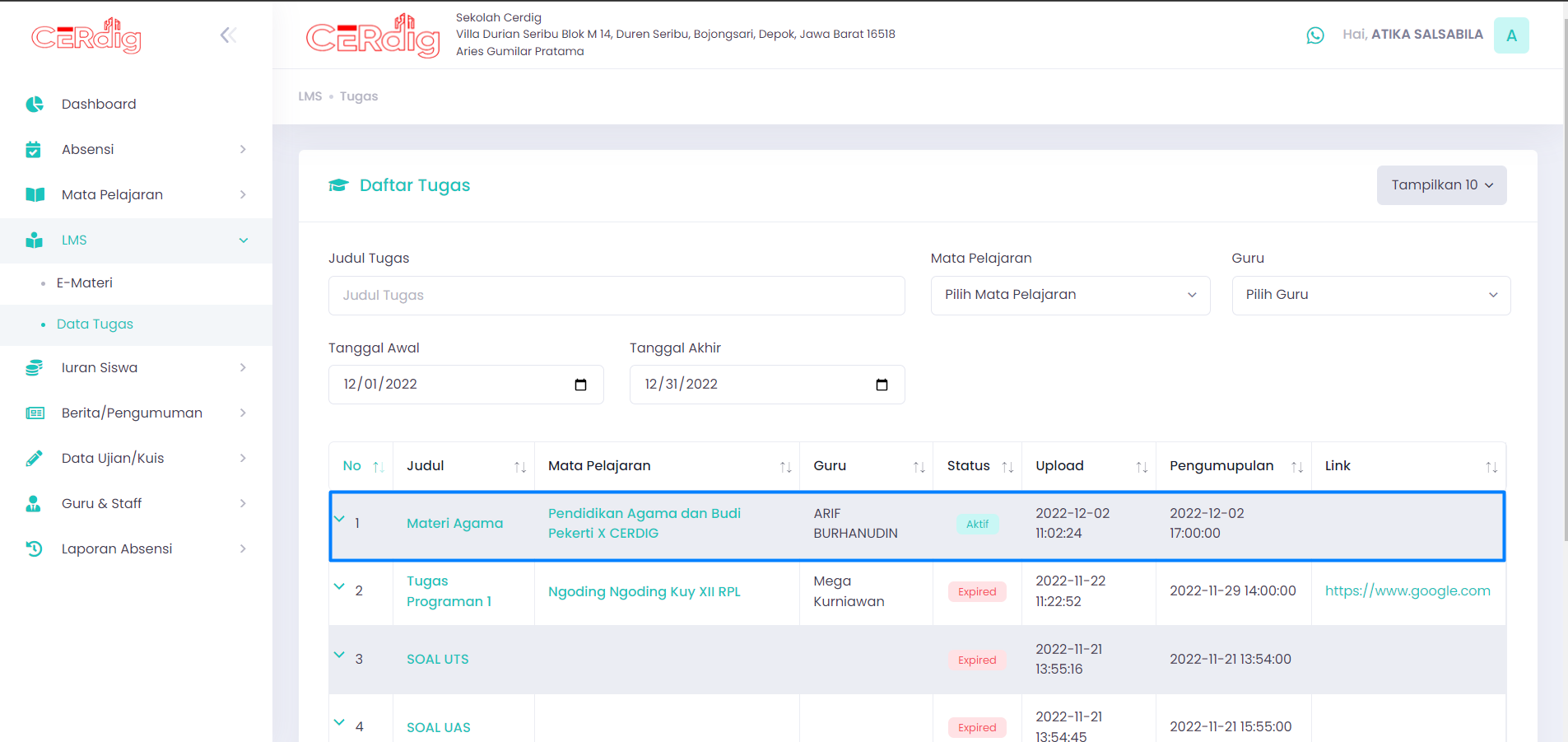
step 2 - Klik baris tabel tugas.
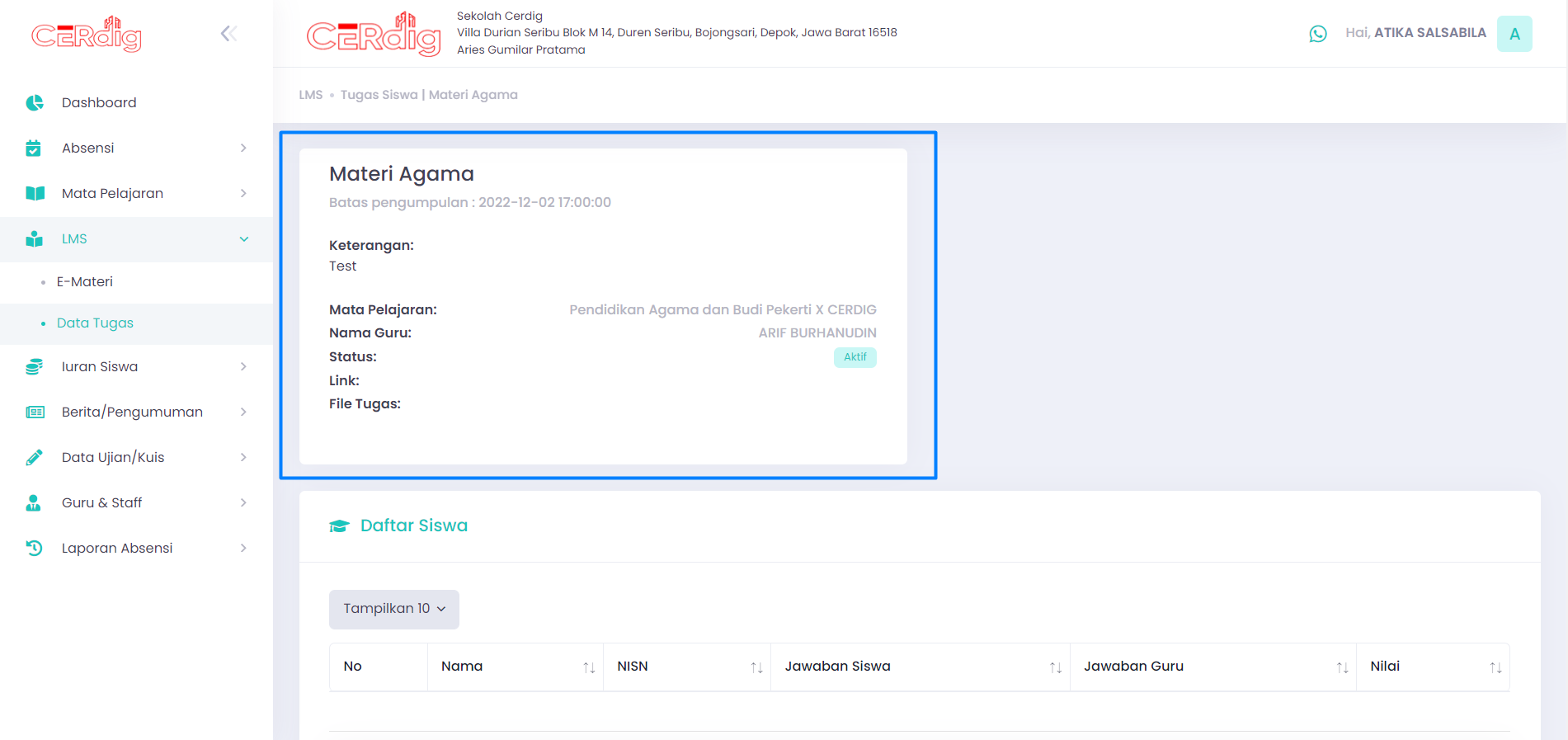
step 3 - Kemudian akan tampil detail tugas dan daftar siswa yang mengikuti tugas.
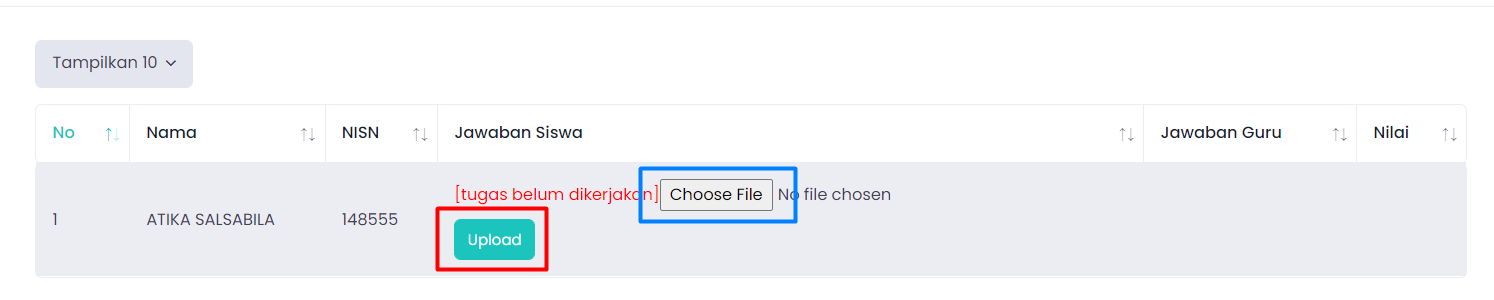
step 4 - Untuk mengupload jawaban, siswa dapat memilih dahulu jawaban yang sebelumnya sudah difoto atau dijadikan pdf dengan mengklik “Choosen File”. Kemudian klik Upload maka jawaban siswa sudah terupload.
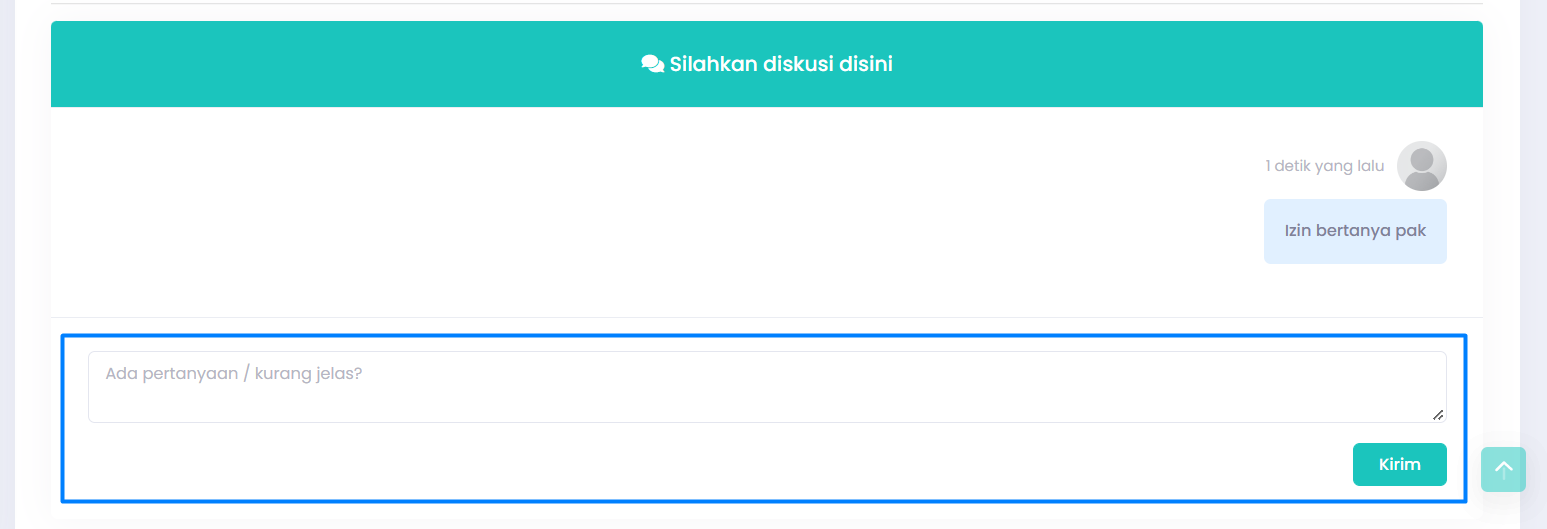
step 5 - Siswa juga dapat berdiskusi dengan teman ataupun guru dengan mengetik di kolom diskusi kemudian klik tombol “Kirim” maka pertanyaan siswa akan muncul dan dapat dilihat oleh teman dan guru.